King Salman International AirportTransport Infrastructure ShowcaseSaudi ArabiaOngoing delivery

Interactive Tactile Display – King Salman International Airport

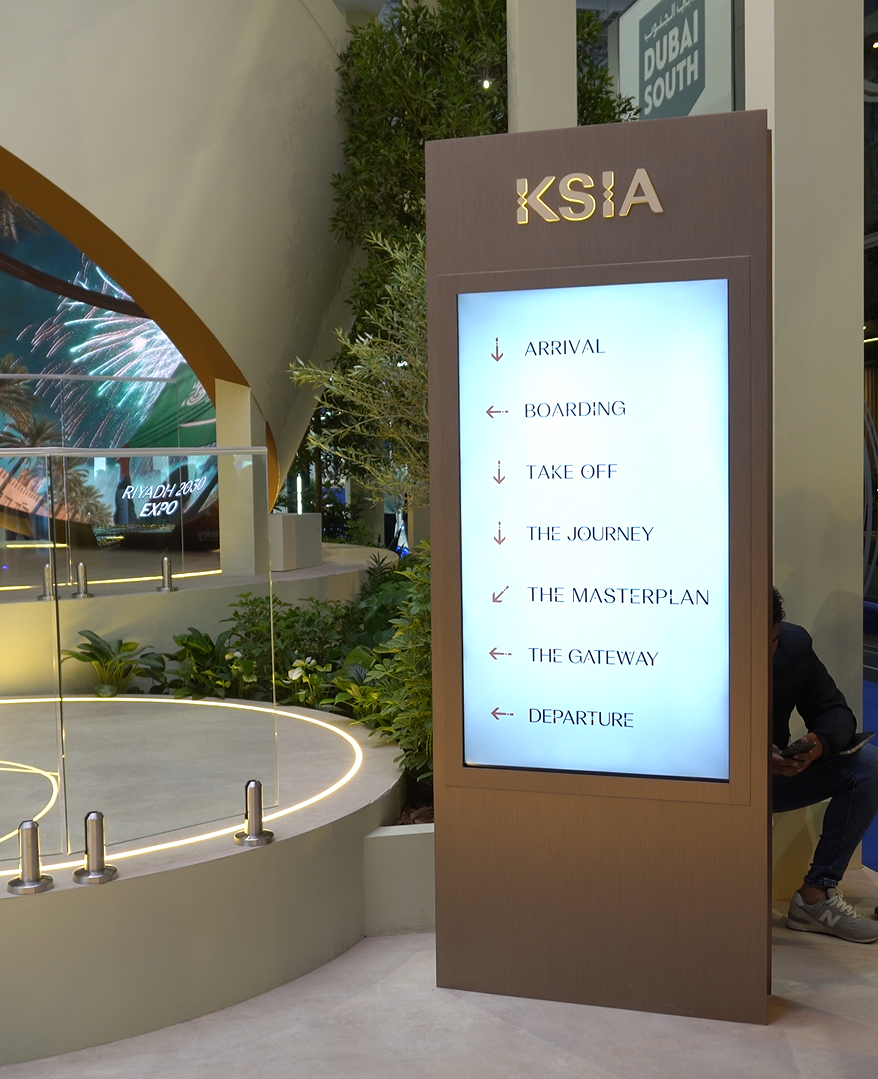
The interactive display developed for King Salman International Airport takes a complex piece of infrastructure and makes it understandable by touch. Visitors use physical tactile buttons to select what they want to see, and the display responds with dynamic visual mapping that highlights key routes, infrastructure lines and operational touchpoints across the airport. It is a deliberate blend of physical interaction and digital precision — and for an audience that may not be aviation specialists, the tactile element is what makes the system inviting rather than intimidating.

Projects

Interactive Tactile Display – King Salman International Airport — Interactive Display

Interactive DisplayDeveloped for King Salman International Airport, this custom-built experience integrates tactile buttons with dynamic visual mapping to highlight key routes, infrastructure lines, and operational touchpoints across the airport. A seamless blend of physical interaction and digital precision—transforming complex systems into an intuitive, engaging visual journey.


Project Overview

Client
King Salman International Airport
Location
Saudi Arabia
Year
Ongoing delivery
Event Type
Transport Infrastructure Showcase
Industry
Aviation & Transport Infrastructure
Application
A custom-built interactive display for King Salman International Airport combining tactile physical buttons with dynamic visual mapping of routes, infrastructure lines and operational touchpoints across the airport.
Solution
A custom tactile-and-digital interactive installation that lets visitors physically select and explore routes, infrastructure lines and operational touchpoints through dynamic visual mapping.
Technology
Custom Tactile Controls, Dynamic Visual Mapping, Interactive Display Technology, Custom Application Development, Custom Fabrication

The Challenge & Objective

An airport is one of the most complicated systems a visitor can be asked to understand, and a showcase has to communicate that complexity without becoming a technical diagram nobody engages with. The design needed to be both accurate and inviting.

  • Make complexity approachable. Route networks, infrastructure lines and operational touchpoints have to be presented in a way a non-specialist can follow without a guide.
  • Give visitors real control. An airport audience is technical by nature and will disengage from something passive, so the display had to respond directly to their choices.
  • Blend physical and digital convincingly. The tactile controls and the visual mapping needed to feel like one system rather than a set of buttons next to a screen.
  • Balance accuracy with legibility. A technically complete airport model is not automatically a clear one, so the visual mapping had to simplify without misrepresenting.
  • Reflect the significance of the client. For a major international airport, the build quality and finish are part of the message.

Our Solution

We made the interface physical and the explanation visual, so that understanding the airport started with doing something rather than being told something.

Tactile controls as the primary interface

The display was built around physical, tactile buttons rather than a touch screen alone. Buttons are a better fit for this subject because they make the interaction feel like operating infrastructure — which is exactly the association the client wants to create. They also invite exploration without instruction, and they never suffer from the lag or mis-taps that make public touch screens frustrating.

Dynamic visual mapping of the airport system

When a visitor selects something, the display responds with dynamic visual mapping across the airport network — key routes, infrastructure lines and operational touchpoints are highlighted in context. Showing a route in relation to the whole system is what turns a set of facts into an understandable model of how an airport actually works.

One system, not a control panel and a screen

The tactile controls and the visual mapping were designed together so that pressing a button produces an immediate, comprehensible result. The response time and the structure of the mapping were both tuned on site, because the credibility of the whole experience depends on the interface feeling connected and accurate.

An inviting entry point for a complex subject

Because the first interaction is physical and low-commitment, visitors who know nothing about aviation can still get something useful from it, while those who want to go deeper can keep selecting. That layered depth is what allows the display to serve a mixed audience at a transport showcase.

Technology & Implementation

A custom fabrication combining tactile hardware with a mapped display and a purpose-built application layer.

Custom tactile control fabrication

The button assemblies were fabricated specifically for this installation, giving the interface a quality that off-the-shelf controls cannot. Tactile feedback is what makes the display feel like an instrument, and the fabrication had to be durable enough for continuous public use in a high-traffic environment.

Dynamic visual mapping and application layer

The mapping system connects each control to a defined visual state across the airport network, with content authored for the real geometry of the infrastructure being shown. The application layer was built custom so that responses could be refined during commissioning, which is where a mapping of this kind is genuinely improved.

Custom display and structural build

The display, enclosure and mounting were developed as one build so the controls sit correctly relative to the mapped content. For a piece of this significance, alignment between what a visitor presses and what they see is not a detail — it is the whole experience.

Commissioning and delivery in Saudi Arabia

The system was installed, calibrated and tested with the client team on site, with each control verified against its mapped outcome before handover. Our [interactive experiences](/event-technology/interactive-experiences/) team supported the commissioning and the operating handover.

Results & Impact

The display succeeded because it made an extraordinarily complex system feel something a visitor could hold in their hands and explore.

  • Visitors could explore routes, infrastructure and operational touchpoints at their own pace without needing a guide or prior knowledge.
  • The tactile interface invited engagement from a broad audience, including people who would have walked past a touch screen.
  • Dynamic mapping presented the airport as an interconnected system rather than as a list of separate facilities.
  • The custom build and finish matched the significance of the client and the asset being presented.

Frequently Asked Questions

Common questions about this King Salman International Airport project and how Ultratec4D delivers similar event technology.

What is a tactile interactive display?

It is an interactive installation where visitors operate the system through physical, tactile controls rather than a touch screen. In the King Salman International Airport project, tactile buttons selected what appears on the display, which then showed dynamic visual mapping of key routes, infrastructure lines and operational touchpoints across the airport.

Why use physical buttons instead of a touchscreen for an airport display?

For a complex subject like an airport, physical controls make the interaction feel like operating infrastructure, which reinforces what the client wants to communicate. Buttons also invite exploration without instruction, give clear tactile feedback, and avoid the lag and mis-taps that make public touch screens frustrating in high-traffic environments.

How is an airport network presented without overwhelming visitors?

By showing relationships rather than listing facts. The dynamic visual mapping highlights a selected route, infrastructure line or operational touchpoint in the context of the whole network, so a visitor understands how the airport works together instead of memorising separate facilities. Layered depth also means a first interaction is simple while deeper exploration stays available.

Do you build interactive installations for transport and aviation clients?

Yes. We deliver custom interactive displays, tactile interfaces and mapped visualisation systems for aviation, transport and infrastructure clients across Saudi Arabia and the UAE, including custom fabrication, application development, on-site commissioning and handover.

Need complex systems communicated clearly?

Send us what you need to explain and who the audience is. We will propose an interaction model, a fabrication approach and a content structure that makes it understandable.

Serving Dubai, Abu Dhabi, Sharjah, Riyadh, Jeddah and the wider GCC

contact best 4d printer in dubai in whatsapp